
Best Wi-Fi 7 routers for speed & stability
As an Amazon Associate, I earn from qualifying purchases. Some links may earn us a commission at no extra cost to you.
Wi-Fi 7 hardware now ranges from high-end gaming routers to VPN-focused home models, cellular gateways, and business networking equipment. The right setup depends on whether you prioritize maximum wired bandwidth, wireless performance, VPN flexibility, mobile connectivity, or managed networking.
Top 6 Picks
1. TP-Link Archer GE800 — Multi-Gig Gaming Router
The Archer GE800 is a tri-band BE19000 Wi-Fi 7 router built around high-capacity wired and wireless networking.
Its 12-stream design is paired with two 10Gbps ports and four 2.5Gbps ports, giving it considerably more wired flexibility than routers that provide only one or two multi-gig connections.
TP-Link also includes a dedicated gaming port and panel, Turbo Acceleration, USB 3.0, RGB lighting, and HomeShield.
Why consider it: Its combination of BE19000 wireless capacity and extensive 10G/2.5G connectivity suits demanding multi-gig networks.


Pros
- Tri-band BE19000 Wi-Fi 7
- 12-stream configuration
- Two 10Gbps ports
- Four 2.5Gbps ports
- Dedicated gaming features
Cons
- Large gaming-oriented feature set may be unnecessary for basic households
- More complex than a simple entry-level router
Trade-offs / Who should skip: A smaller BE6500 or BE7200 router makes more sense if you do not need multiple 10G and 2.5G wired connections.
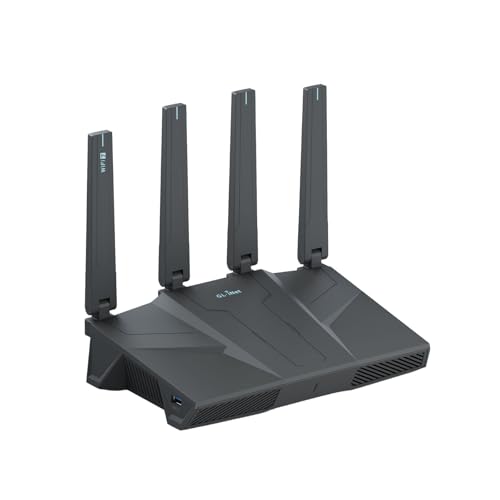
2. GL.iNet Flint 3e — Wi-Fi 7 Router With VPN Focus
The GL.iNet Flint 3e is a BE6500 Wi-Fi 7 router aimed at home, gaming, streaming, and video-call use.
Its listing specifies wireless speeds up to 6.5Gbps along with Multi-Link Operation and 4K-QAM. GL.iNet also positions it as a VPN-capable router, giving it a different emphasis from gaming-first models.
Why consider it: It combines Wi-Fi 7 features with GL.iNet’s VPN-oriented router platform.
Pros
- BE6500 Wi-Fi 7
- Up to 6.5Gbps advertised wireless capacity
- Multi-Link Operation
- 4K-QAM
- VPN-oriented design
Cons
- Lower wireless class than the BE19000 Archer GE800
- Single-router format rather than a whole-home mesh kit
Trade-offs / Who should skip: The Archer GE800 is better suited to users who specifically need a much larger multi-gig wired port selection.
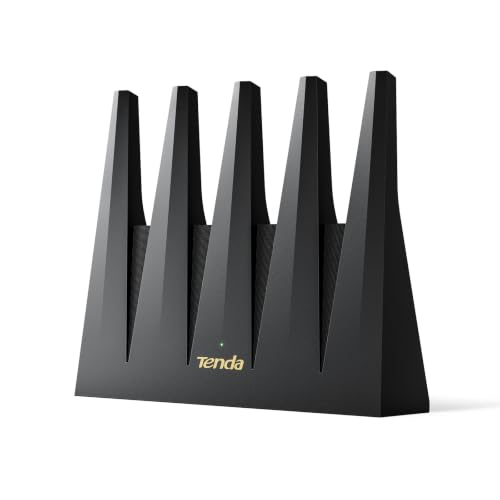
3. Tenda BE12 Pro — Dual-Band Wi-Fi 7 With OpenWRT Support
The Tenda BE12 Pro is a dual-band BE7200 Wi-Fi 7 router with two 2.5Gbps ports.
It combines MLO with a quad-core processor, VPN support, a private IoT network, and OpenWRT support. That gives it an appealing mix of newer wireless technology and network customization without moving into an oversized premium gaming platform.
Why consider it: It combines BE7200 Wi-Fi 7, two 2.5G ports, MLO, VPN features, and OpenWRT support.
Pros
- BE7200 Wi-Fi 7
- Two 2.5Gbps ports
- MLO support
- Quad-core processor
- OpenWRT and VPN support
Cons
- Dual-band rather than tri-band
- Less wired capacity than the Archer GE800
Trade-offs / Who should skip: Users with several multi-gig wired devices may benefit more from a router with additional 2.5G or 10G ports.
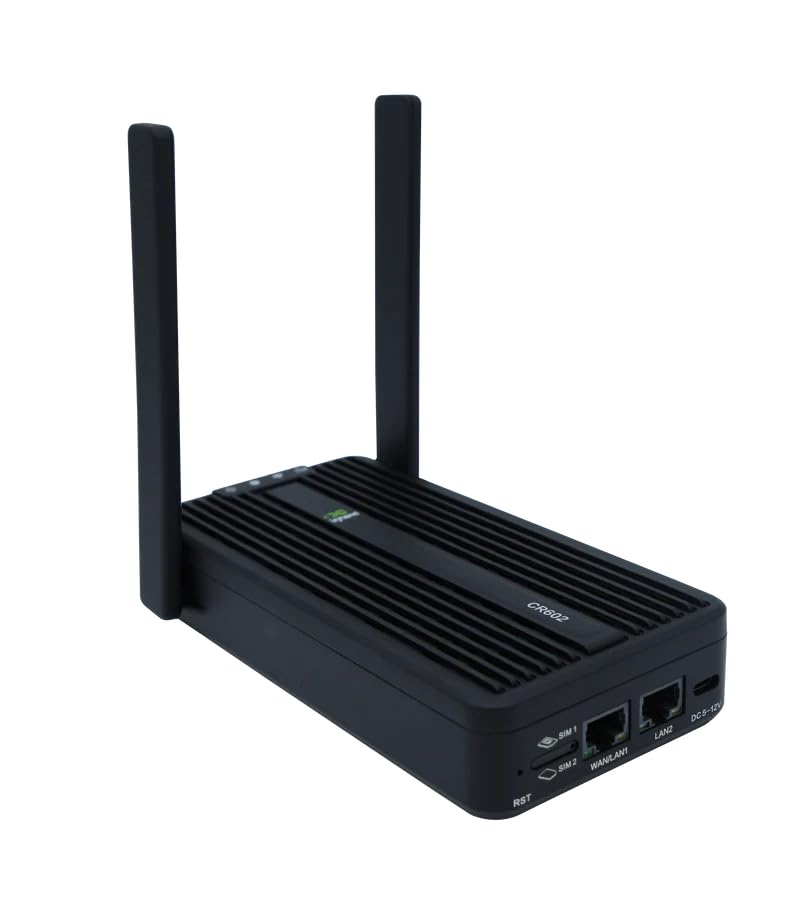
4. InHand Networks CR602 — Wi-Fi 7 With 5G Cellular Connectivity
The InHand CR602 takes a different approach by combining Wi-Fi 7 with an integrated 5G cellular connection.
The BE3000 router supports dual SIM and eSIM connectivity and is listed as certified for T-Mobile, Verizon, and AT&T. A 10,000mAh battery makes it particularly relevant for mobile businesses, RV use, temporary locations, or connectivity where a conventional fixed broadband connection is unavailable.
It supports up to 32 devices and can be managed through InCloud.
Why consider it: It combines Wi-Fi 7 with cellular WAN connectivity and an integrated battery.
Pros
- Wi-Fi 7 BE3000
- Integrated 5G cellular connectivity
- Dual SIM and eSIM
- 10,000mAh battery
- Supports up to 32 devices
Cons
- Lower Wi-Fi class than the home-performance routers above
- Specialized design is unnecessary for homes with reliable wired broadband
Trade-offs / Who should skip: Choose a conventional home router if you do not need cellular connectivity, portability, or carrier-based internet access.
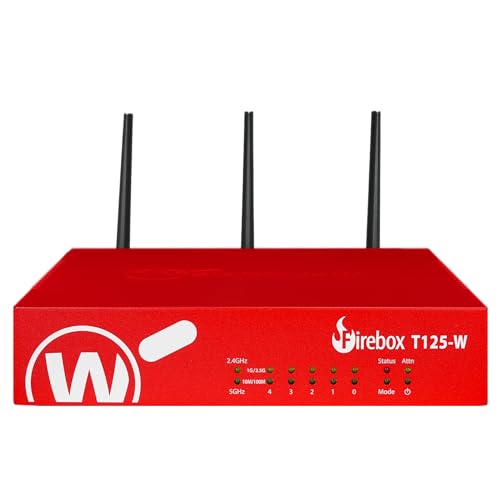
5. WatchGuard Firebox T125-W — Wi-Fi 7 Security Gateway for Small Offices
The WatchGuard Firebox T125-W approaches Wi-Fi 7 from a business-security perspective.
It combines Wi-Fi 7 with firewall functionality and includes one 2.5Gbps port plus four 1Gbps ports. This version also includes one year of Standard Support.
Rather than emphasizing gaming or consumer app features, it is positioned for remote offices and business networks where security infrastructure is part of the purchasing decision.
Why consider it: It combines Wi-Fi 7 connectivity with a dedicated business firewall platform.
Pros
- Wi-Fi 7 connectivity
- Integrated firewall platform
- 2.5Gbps Ethernet port
- Four additional 1Gbps ports
- Intended for remote-office networks
Cons
- Business-oriented administration is more involved than a typical home router
- Only one listed 2.5Gbps port
Trade-offs / Who should skip: Home users primarily interested in wireless speed and easy setup will generally get more relevant features from a consumer Wi-Fi 7 router.
6. TP-Link Omada EAP723 — Managed Wi-Fi 7 Access Point
The Omada EAP723 is the one product here that is not a standalone router. It is a dual-band BE5000 Wi-Fi 7 access point intended for an existing routed network.
It provides a 2.5Gbps Ethernet connection, PoE support, mesh capability, roaming, WPA3, and centralized Omada management.
That makes it useful for homes and businesses where routing is already handled separately and Wi-Fi coverage is being built with dedicated access points.
Why consider it: It adds managed Wi-Fi 7 coverage to an existing Omada or Ethernet-based network.

Pros
- BE5000 Wi-Fi 7
- 2.5Gbps Ethernet
- PoE powered
- Mesh and roaming support
- Omada centralized management
Cons
- Not a standalone router
- Power adapter is not included with this version
Trade-offs / Who should skip: Choose one of the first five options if you need a device that handles routing as well as wireless connectivity.
Quick Compare
- TP-Link Archer GE800 — BE19000 tri-band router with 2×10G and 4×2.5G ports
- GL.iNet Flint 3e — BE6500 router with MLO, 4K-QAM, and VPN emphasis
- Tenda BE12 Pro — BE7200 dual-band router with 2×2.5G, MLO, VPN, and OpenWRT
- InHand CR602 — BE3000 Wi-Fi 7 router with 5G, dual SIM/eSIM, and battery power
- WatchGuard Firebox T125-W — Wi-Fi 7 firewall gateway for small and remote offices
- TP-Link Omada EAP723 — BE5000 managed access point for an existing routed network
Final Verdict
These six products cover substantially different networking requirements.
The Archer GE800 emphasizes high wireless capacity and extensive multi-gig Ethernet, while the Flint 3e combines mainstream Wi-Fi 7 performance with a stronger VPN focus. Tenda’s BE12 Pro provides MLO, dual 2.5G ports, and OpenWRT support in a less elaborate format.
The InHand CR602 is intended for situations where 5G cellular connectivity matters, while the WatchGuard T125-W brings Wi-Fi 7 into a business firewall environment.
The Omada EAP723 fills a different role entirely: it is an access point rather than a router, making it relevant when routing is already handled elsewhere and the goal is to expand a managed Wi-Fi 7 network.
As an Amazon Associate, I earn from qualifying purchases.