
Best Mini Gaming PCs – Updated Every Month
As an Amazon Associate, I earn from qualifying purchases. Some links may earn us a commission at no extra cost to you.
Mini gaming PCs cover a wide range of hardware, from compact systems with integrated Radeon or Intel Arc graphics to larger mini desktops with dedicated GPUs. Some emphasize out-of-the-box gaming performance, while others provide OCuLink for adding an external desktop graphics card later.
Top 7 Picks
1. TOPGRO T1-Pro — RTX 4060 Dedicated Graphics
The TOPGRO T1-Pro is the only system in this lineup built around a dedicated RTX 4060 8GB GPU. It pairs that graphics card with a Core i9-13900HX processor, 32GB of DDR5 memory, and a 1TB PCIe 4.0 SSD.
The supplied configuration also includes adjustable RGB lighting, Wi-Fi 6E, Bluetooth 5.3, 2.5GbE networking, and 4K display output.
Why consider it: A dedicated RTX 4060 gives this compact PC a fundamentally different gaming profile from the integrated-graphics systems below.

Pros
- RTX 4060 with 8GB GDDR6
- Core i9-13900HX processor
- 32GB DDR5 memory
- 1TB PCIe 4.0 SSD
- 2.5GbE and Wi-Fi 6E
- Adjustable RGB lighting
Cons
- Larger and more power-hungry than NUC-style systems
- More hardware than necessary for light esports or emulation
Trade-offs / Who should skip: Choose one of the smaller Radeon or Intel Arc systems if chassis size and lower complexity matter more than having a dedicated GPU.
2. MINISFORUM AI X1 Pro — Radeon 890M With OCuLink and 96GB RAM
The MINISFORUM AI X1 Pro uses an AMD Ryzen AI 9 HX370 processor with Radeon 890M integrated graphics. This supplied configuration includes 96GB of DDR5 memory and a 2TB SSD, giving it substantially more memory than most compact systems.
It also includes OCuLink for an external GPU, dual 2.5GbE networking, Wi-Fi 7, Bluetooth 5.4, two USB4 ports, and support for four displays.
Why consider it: It combines Radeon 890M graphics with unusually high memory capacity and an external-GPU expansion path.

Pros
- Ryzen AI 9 HX370
- Radeon 890M graphics
- 96GB DDR5 memory
- 2TB SSD
- OCuLink
- Wi-Fi 7 and dual 2.5GbE
- Four-display support
Cons
- High-end memory configuration may be excessive for gaming alone
- External GPU use requires additional hardware
Trade-offs / Who should skip: A simpler mini PC makes more sense if you do not need 96GB of memory, OCuLink, or advanced networking.
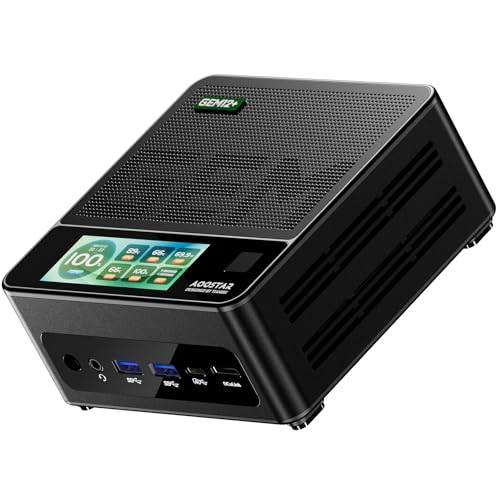
3. AOOSTAR GEM12+ Pro — Barebones OCuLink Platform
The AOOSTAR GEM12+ Pro combines a Ryzen 7 Pro 8845HS processor with Radeon 780M integrated graphics and an OCuLink connector. It can handle lighter gaming with its integrated graphics while providing a direct path to a more powerful external graphics setup.
The original configuration also includes dual USB4, dual 2.5GbE, two DDR5 slots, and two M.2 storage slots.
Why consider it: Its barebones format and OCuLink connection suit users who want to choose their own memory, storage, and external-GPU setup.
Pros
- Radeon 780M integrated graphics
- OCuLink for an external GPU
- Dual USB4
- Dual 2.5GbE
- Two DDR5 slots
- Two M.2 slots
Cons
- Barebones configuration requires additional components
- External graphics add cost and desk space
Trade-offs / Who should skip: Choose a fully configured system if you prefer a ready-to-use PC rather than selecting and installing memory and storage yourself.
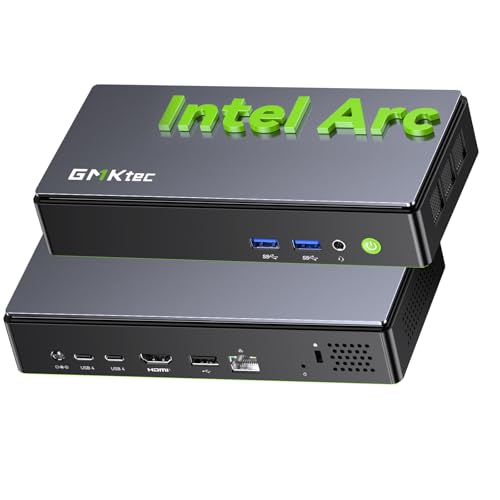
4. GMKtec K13 — Intel Arc 140V Graphics
The GMKtec K13 provides an Intel-based alternative to the Radeon-heavy systems in this roundup. It uses an Intel Ultra 7 256V processor with Intel Arc 140V graphics and fast LPDDR5 memory.
Its supplied configuration also includes a 512GB PCIe 4.0 SSD, 5GbE networking, USB4 at 40Gbps, Wi-Fi 6E, Bluetooth 5.2, HDMI 2.1, and triple-display support.
Why consider it: Intel Arc 140V graphics give buyers another integrated-graphics platform besides AMD Radeon.
Pros
- Intel Ultra 7 256V
- Intel Arc 140V graphics
- Fast LPDDR5 memory
- 512GB PCIe 4.0 SSD
- 5GbE networking
- 40Gbps USB4
- HDMI 2.1
Cons
- 512GB storage is smaller than several alternatives here
- No OCuLink connection is stated in the supplied listing
Trade-offs / Who should skip: Choose an OCuLink-equipped AMD system if future external-GPU expansion is a major part of your plan.
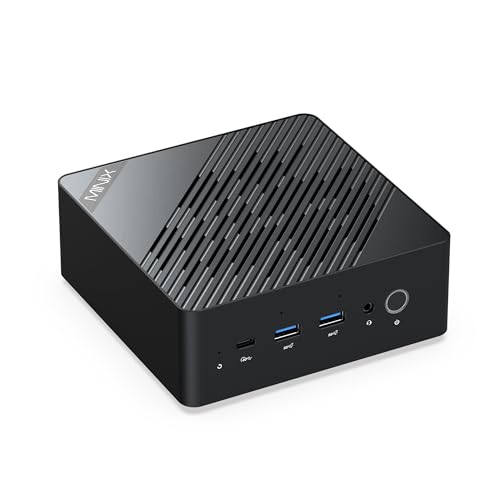
5. MINIX ER937-AI — Radeon 890M With 32GB DDR5
The MINIX ER937-AI combines an AMD Ryzen AI 9 HX 370 processor with Radeon 890M integrated graphics. The supplied configuration includes 32GB of DDR5 memory and a 1TB PCIe 4.0 SSD, giving it a more conventional ready-to-use setup than the unusually large-memory MINISFORUM configuration.
The listing also includes Wi-Fi 7, dual 2.5GbE networking, fingerprint access, and support for up to four 8K displays.
Why consider it: It provides Radeon 890M graphics in a ready-configured 32GB/1TB system with modern networking and display connectivity.
Pros
- Ryzen AI 9 HX 370
- Radeon 890M graphics
- 32GB DDR5 memory
- 1TB PCIe 4.0 SSD
- Wi-Fi 7
- Dual 2.5GbE
Cons
- No OCuLink connection is stated in the supplied listing
- Integrated graphics still differ from a dedicated desktop GPU
Trade-offs / Who should skip: Choose the MINISFORUM AI X1 Pro if OCuLink and much higher memory capacity matter more, or the TOPGRO if you specifically want dedicated graphics installed from the start.
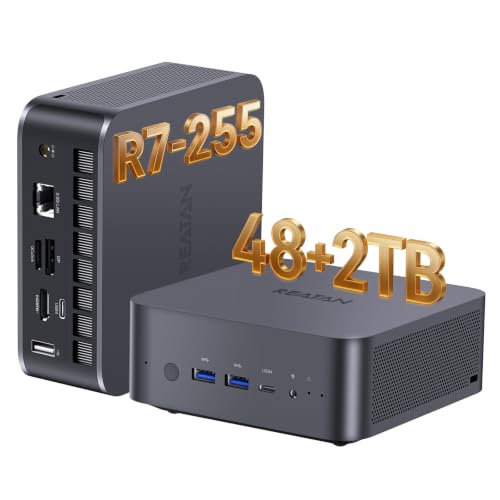
6. Reatan X7 — Radeon 780M With 48GB and OCuLink
The Reatan X7 combines an AMD Ryzen 7 255 processor with Radeon 780M integrated graphics. This configuration includes 48GB of Crucial DDR5 memory and a 2TB SSD.
It also includes OCuLink, USB4, Wi-Fi 7, support for up to four displays, and a built-in speaker.
Why consider it: It balances substantial memory and storage with Radeon 780M graphics and OCuLink expansion.
Pros
- Radeon 780M graphics
- 48GB DDR5 memory
- 2TB SSD
- OCuLink
- USB4
- Wi-Fi 7
- Four-display support
Cons
- External GPU hardware is sold separately
- More memory than many gaming-only users require
Trade-offs / Who should skip: The AOOSTAR is more appropriate if you specifically want a barebones platform, while the TOPGRO is simpler if you want dedicated graphics already installed.
7. Beelink SER5 MAX — Compact Radeon 680M Setup
The Beelink SER5 MAX remains from the original article as the more modest integrated-graphics option. The supplied original configuration combines a Ryzen 7 7735-series processor with Radeon 680M graphics, 24GB of LPDDR5 memory, and a 500GB NVMe SSD.
It is aimed more at esports, indie games, emulation, and everyday desktop use than at demanding new games at high settings.
Why consider it: Its Radeon 680M graphics provide a lower-tier entry point into compact PC gaming without an external or dedicated GPU.

Pros
- Radeon 680M integrated graphics
- 24GB LPDDR5 memory
- 500GB NVMe SSD
- Compact design
- Multiple-display support
Cons
- 500GB storage is modest
- Integrated graphics have clear limits in demanding games
- No dedicated GPU
Trade-offs / Who should skip: Choose the TOPGRO for substantially stronger out-of-the-box graphics performance or one of the OCuLink systems if you expect to add an external GPU.
Quick Compare
- RTX 4060 dedicated graphics: TOPGRO T1-Pro
- Radeon 890M with 96GB and OCuLink: MINISFORUM AI X1 Pro
- Barebones Radeon 780M with OCuLink: AOOSTAR GEM12+ Pro
- Intel Arc 140V integrated graphics: GMKtec K13
- Radeon 890M with 32GB and Wi-Fi 7: MINIX ER937-AI
- Radeon 780M with 48GB and OCuLink: Reatan X7
- Compact Radeon 680M setup: Beelink SER5 MAX
Final Verdict
These seven systems represent several different approaches to compact gaming. The TOPGRO T1-Pro includes dedicated RTX 4060 graphics, while the MINISFORUM, AOOSTAR, and Reatan systems emphasize integrated Radeon graphics with the option to connect an external GPU through OCuLink.
The GMKtec K13 provides an Intel Arc alternative, while the MINIX ER937-AI provides another Radeon 890M route in a more conventional 32GB/1TB configuration with Wi-Fi 7 and dual 2.5GbE. The Beelink SER5 MAX remains a simpler Radeon 680M option for lighter workloads.
The right configuration depends on whether you want dedicated graphics immediately, a small integrated-graphics machine, or a compact platform that can grow through an external GPU.
As an Amazon Associate, I earn from qualifying purchases.