
Best 3D Scanners for 3D Printing
As an Amazon Associate, I earn from qualifying purchases. Some links may earn us a commission at no extra cost to you.
A useful 3D scanner needs to match the objects you actually plan to capture. Small mechanical parts benefit from high-detail laser scanning, while larger objects often need wider coverage and easier tracking. Wireless and all-in-one scanners can simplify mobile work, while entry-level models trade some speed and precision for a more approachable workflow.
Top 7 Picks
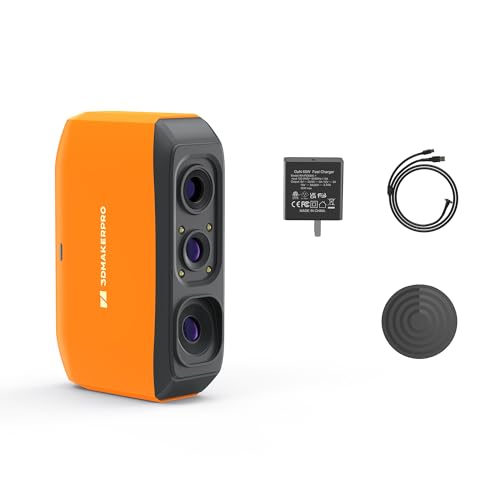
1. 3DMakerpro Fox — Entry-Level Markerless Handheld Scanning
The 3DMakerpro Fox is positioned as an entry-level medium-format handheld scanner for 3D-printing workflows. Its supplied listing specifies markerless AI visual tracking, scanning at up to 10 FPS, and 0.07 mm accuracy.
That combination gives it a simpler role than the more specialized blue-laser scanners later in this list.
Why consider it: It provides markerless handheld scanning and a listed 0.07 mm accuracy in an entry-oriented package.
Pros
- Markerless AI visual tracking
- Listed 0.07 mm accuracy
- Up to 10 FPS scanning
- Intended for 3D-printing workflows
- Medium-format handheld design
Cons
- 10 FPS is slower than the high-speed scanners in this lineup
- Lower listed accuracy than the metrology-focused models
Trade-offs / Who should skip: Users scanning precision mechanical parts may prefer a blue-laser model with a tighter listed accuracy specification.
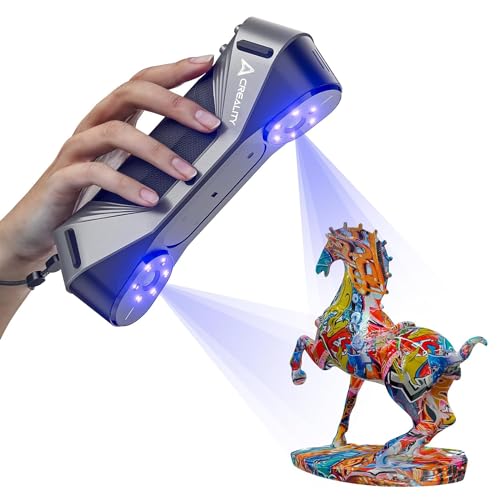
2. Creality CR-Scan Raptor — Hybrid Blue-Laser and Infrared Scanning
The CR-Scan Raptor combines seven parallel blue-laser lines with infrared structured-light scanning. Its laser mode is intended for detailed parts, edges, dark materials, and some metal surfaces, while infrared provides a wider capture area for larger subjects.
The original listing specifies accuracy of up to 0.02 mm in its high-detail mode.
Why consider it: The combination of blue laser and infrared gives one scanner two different approaches to detailed parts and larger objects.
Pros
- Blue-laser and infrared modes
- Up to 0.02 mm listed accuracy
- Suitable for small parts and larger subjects
- Full-color texture capture
Cons
- Blue-laser scanning can require reflective markers
- Detailed scan processing benefits from a capable computer
Trade-offs / Who should skip: A simpler markerless scanner may be easier for beginners who do not need the Raptor’s hybrid scanning modes.
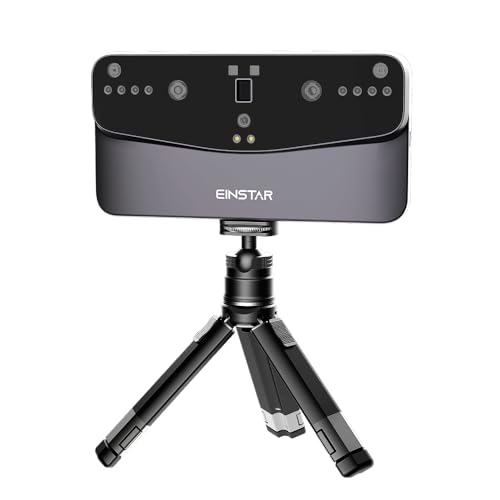
3. EINSTAR Vega — Portable All-in-One Wireless Scanning
The EINSTAR Vega uses a portable wireless, all-in-one design intended for comprehensive object scanning. Its supplied configuration includes 32 GB of RAM, 512 GB of storage, and a 2K AMOLED touchscreen.
The listing also specifically mentions support for outdoor scanning, giving it a field-oriented role compared with scanners that depend more heavily on a fixed workstation.
Why consider it: Built-in computing, storage, a touchscreen, and wireless operation make it suited to scanning away from a desk.
Pros
- All-in-one design
- Wireless scanning
- 32 GB RAM
- 512 GB storage
- 2K AMOLED touchscreen
Cons
- Larger feature set than users needing only basic handheld capture may require
- Less focused on metrology specifications than dedicated precision scanners
Trade-offs / Who should skip: A tethered scanner can make more sense if all scanning will happen beside a capable workstation.
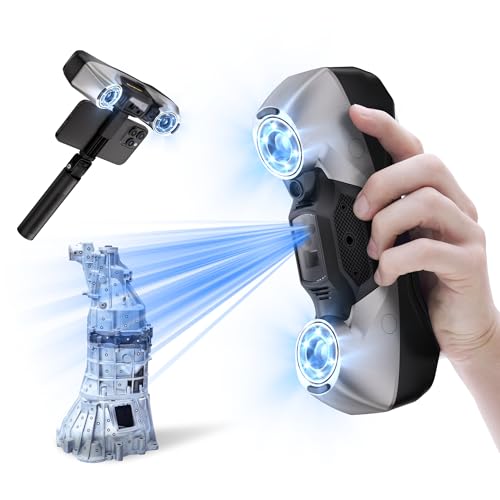
4. Revopoint MetroY Pro — Multi-Mode Industrial Scanning
The MetroY Pro is built around blue-laser and structured-light scanning for industrial modeling and measurement. Its supplied listing specifies five scanning modes and a 34+15+1 laser configuration.
It is rated at 0.01 mm in the supplied listing and also supports full-color capture and scan streaming on Windows and macOS.
Why consider it: Multiple laser and structured-light modes give it flexibility for detailed measurement and modeling workflows.
Pros
- Five scanning modes
- 34+15+1 blue-laser configuration
- Listed 0.01 mm specification
- Structured-light scanning
- Full-color capture
Cons
- More advanced than an entry-level handheld scanner
- Intended to work with Windows or macOS rather than as a standalone unit
Trade-offs / Who should skip: The Fox or Vega may provide a more approachable workflow when industrial measurement is not required.
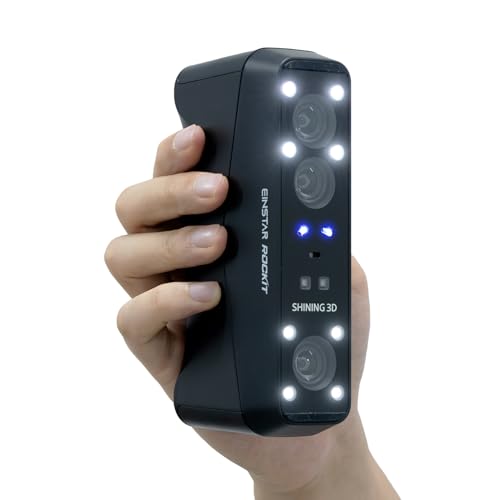
5. EINSTAR Rockit — Wireless Marker-Free Laser Scanning
The EINSTAR Rockit combines wireless operation with multiple blue-laser patterns and VCSEL infrared scanning. Its listing specifies 19+19 crossed laser lines plus seven parallel blue-laser lines.
A particularly notable feature is support for marker-free laser 3D scanning, which can reduce setup for suitable objects.
Why consider it: It combines wireless operation with marker-free laser scanning and an infrared option.
Pros
- Wireless operation
- Marker-free laser scanning support
- 19+19 crossed blue-laser lines
- Seven parallel laser lines
- VCSEL infrared scanning
Cons
- More complex than a basic structured-light scanner
- Does not fill the same all-in-one touchscreen role as the Vega
Trade-offs / Who should skip: The Vega is the more natural fit when onboard controls and storage matter more than the Rockit’s laser configurations.
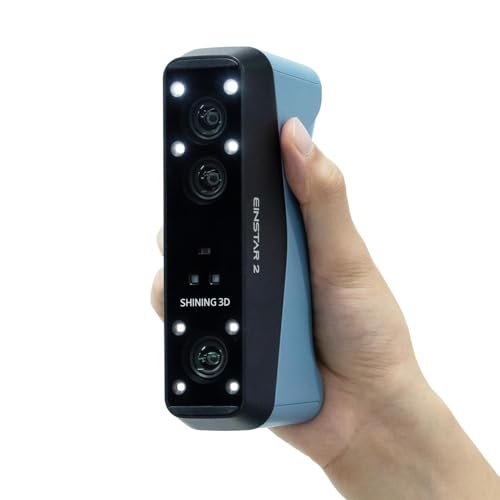
6. EINSTAR 2 — High-Speed Wireless Small-to-Large Object Scanning
The EINSTAR 2 combines 17 parallel blue-laser lines with VCSEL infrared scanning. Its supplied listing positions it for objects ranging from small to large and specifies capture speeds of up to 90 FPS.
It also supports 3 mm, 6 mm, and 12 mm scanning markers, providing several tracking-marker options for different object sizes and workflows.
Why consider it: Its listed 90 FPS speed and combination of blue laser and infrared make it suitable for varied object sizes.
Pros
- Up to 90 FPS
- 17 parallel blue-laser lines
- VCSEL infrared scanning
- Wireless operation
- Supports multiple marker sizes
Cons
- Marker-based workflows add setup when markers are used
- Less self-contained than the Vega’s all-in-one design
Trade-offs / Who should skip: Users primarily scanning small precision parts may prefer a metrology-focused MetroY Pro or MetroX Pro instead.
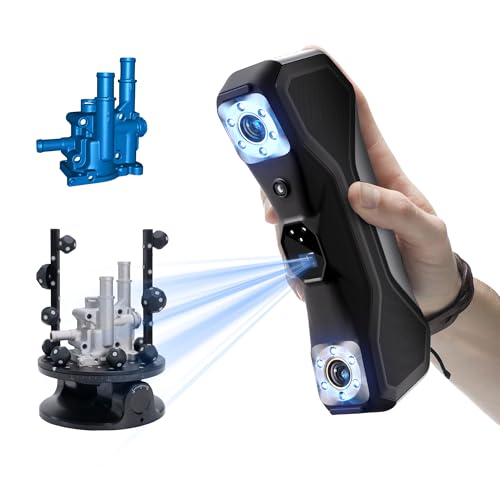
7. Revopoint MetroX Pro — Precision-Focused Reverse Engineering
The MetroX Pro is oriented toward mechanical components, automotive parts, prototypes, and reverse-engineering work. Its original listing specifies up to 0.01 mm single-frame precision and several blue-laser scanning modes.
It also supports full-color scanning, giving it some flexibility outside purely dimensional workflows.
Why consider it: Its precision-focused blue-laser system is designed around functional parts and reverse-engineering applications.
Pros
- Up to 0.01 mm single-frame precision
- Multiple blue-laser scanning modes
- Suitable for mechanical and automotive parts
- Full-color scanning support
Cons
- More advanced than hobby-focused scanners
- Precision scanning requires more operator practice
Trade-offs / Who should skip: Users mainly scanning people, props, or general objects may get more practical flexibility from a hybrid or wireless scanner.
Quick Compare
- Entry-level markerless scanning: 3DMakerpro Fox
- Hybrid blue laser and infrared: Creality CR-Scan Raptor
- Portable all-in-one scanning: EINSTAR Vega
- Multi-mode industrial measurement: Revopoint MetroY Pro
- Wireless marker-free laser scanning: EINSTAR Rockit
- Fast small-to-large object scanning: EINSTAR 2
- Precision reverse engineering: Revopoint MetroX Pro
Final Verdict
The 3DMakerpro Fox provides the simplest entry point in this group, while the CR-Scan Raptor combines laser and infrared modes for users who scan a mix of detailed parts and larger objects.
The EINSTAR Vega emphasizes portable all-in-one operation. The Rockit focuses on wireless marker-free laser scanning, while the EINSTAR 2 adds a listed 90 FPS capture rate and support for varied object sizes.
Revopoint’s MetroY Pro and MetroX Pro occupy the more precision-oriented end of the lineup. The MetroY Pro provides several laser and structured-light modes, while the MetroX Pro remains focused on mechanical parts and reverse-engineering work.
The appropriate scanner depends on object size, required dimensional detail, surface characteristics, portability needs, and how much scan cleanup or marker preparation fits your workflow.
As an Amazon Associate, I earn from qualifying purchases.