
Best Smart Home Hubs
As an Amazon Associate, I earn from qualifying purchases. Some links may earn us a commission at no extra cost to you.
Smart home hubs do not all solve the same problem. Some connect Zigbee or Thread accessories, some act as Matter bridges, while others specialize in lighting, long-range sensors, infrared appliances, physical buttons, or motorized shades.
The right option depends primarily on the devices and ecosystem already in your home.
Top 9 Picks
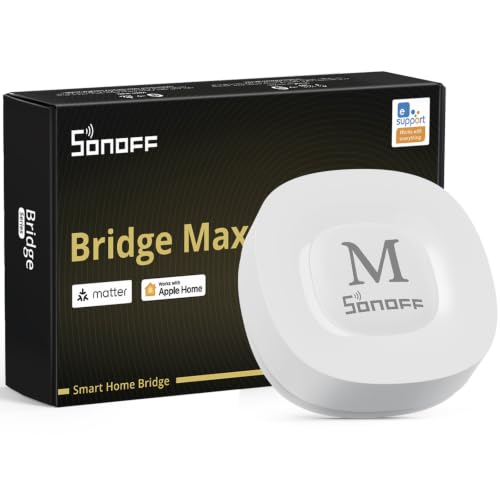
1. SONOFF Bridge Max — Matter Bridge and Zigbee Gateway
The SONOFF Bridge Max is a dedicated smart-home hub that combines a Matter bridge with a Zigbee gateway.
It works with Apple Home, Alexa, Google Home, and Home Assistant and supports both RJ45 Ethernet and Wi-Fi connectivity. Local-control support also makes it relevant for users who want a conventional hub rather than relying entirely on individual Wi-Fi devices.
Why consider it: It provides Zigbee gateway functionality and Matter bridging in a dedicated Ethernet/Wi-Fi hub.
Pros
- Matter bridge
- Zigbee gateway
- RJ45 Ethernet connection
- Wi-Fi connectivity
- Supports major smart-home platforms
Cons
- Primarily useful for compatible Zigbee and Matter-bridge scenarios
- Does not replace every proprietary smart-home bridge
Trade-offs / Who should skip: A specialist ecosystem hub such as Philips Hue, SwitchBot, YoLink, or Go Smart Bridge can make more sense when most of your devices come from one product family.
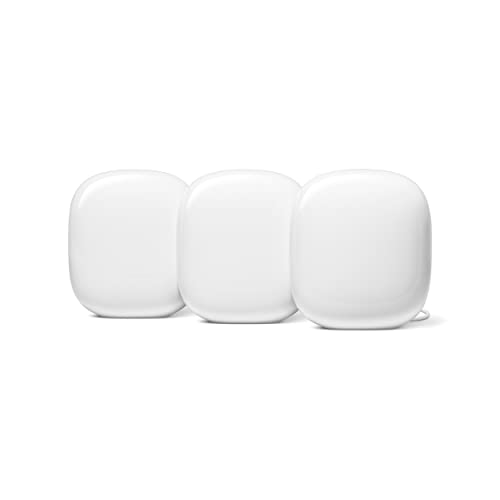
2. Google Nest Wifi Pro — Mesh Wi-Fi With Thread Support
Google Nest Wifi Pro combines Wi-Fi 6E mesh networking with Matter compatibility and Thread Border Router functionality.
The three-unit system is particularly relevant for Google Home households that need both improved network coverage and a Thread backbone throughout multiple rooms.
It does not directly replace a conventional Zigbee or Z-Wave hub.
Why consider it: It combines whole-home mesh networking with Thread infrastructure for a Google Home setup.
Pros
- Wi-Fi 6E mesh networking
- Built-in Thread Border Router
- Matter support through Google Home
- Three-unit system for broader coverage
Cons
- No direct Zigbee support
- No direct Z-Wave support
Trade-offs / Who should skip: Choose a dedicated Zigbee gateway if controlling Zigbee accessories is your main goal rather than upgrading the home network.
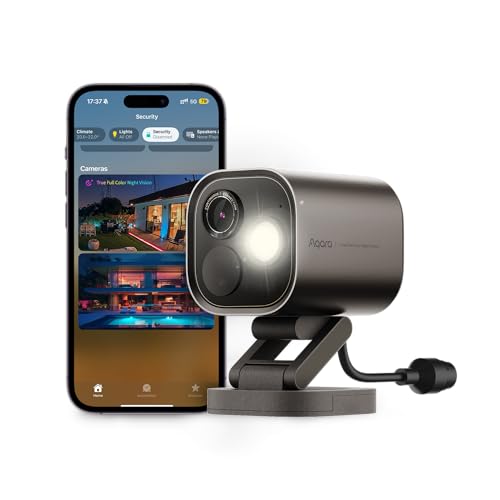
3. Aqara Camera Hub G5 Pro PoE — Security Camera With Thread and Zigbee Hub Functions
The Aqara G5 Pro combines a 4MP outdoor security camera with smart-home hub capabilities.
Its listing includes HomeKit Secure Video, a Thread Border Router, Thread and Zigbee connectivity, local detection, and support for Alexa, Google, and SmartThings.
That combination makes it useful when a security camera and Aqara-oriented smart-home infrastructure are both needed in the same location.
Why consider it: It combines outdoor camera functionality with Thread and Zigbee smart-home connectivity.
Pros
- 4MP security camera
- Thread Border Router
- Thread and Zigbee connectivity
- Local detection
- HomeKit Secure Video support
Cons
- More complex than a simple standalone hub
- Camera functionality is unnecessary if you only need device connectivity
Trade-offs / Who should skip: Choose SONOFF Bridge Max or another dedicated hub if you do not need an outdoor security camera.
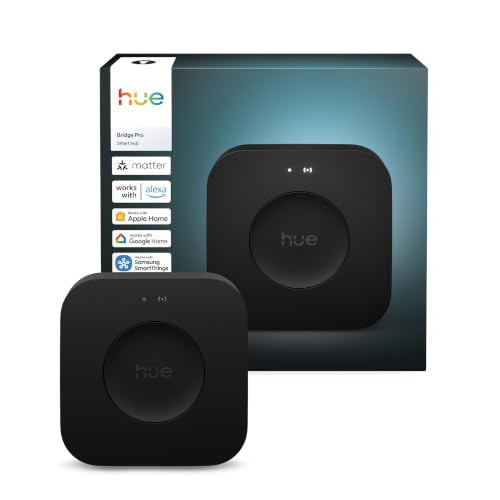
4. Philips Hue Bridge Pro — Large Smart-Lighting Hub
The Philips Hue Bridge Pro is a specialist hub for larger Hue lighting systems.
It supports more than 150 lights and more than 50 accessories and works with Apple Home, Alexa, and Google.
Its narrow focus is also its advantage: it is intended for users building a substantial Hue lighting setup rather than trying to coordinate every device category in the home.
Why consider it: It provides centralized control for a large number of Philips Hue lights and accessories.
Pros
- Supports 150+ lights
- Supports 50+ accessories
- Works with Apple Home
- Alexa and Google compatibility
- Dedicated lighting-hub design
Cons
- Primarily useful for Philips Hue products
- Not a general-purpose Zigbee or Z-Wave controller
Trade-offs / Who should skip: A general hub is more appropriate if smart lighting is only a small part of a mixed-device system.
5. BroadLink RM4 Pro — IR and RF Appliance Bridge
The BroadLink RM4 Pro is aimed at devices that still depend on handheld infrared or compatible RF remotes.
It can bring televisions, air conditioners, fans, entertainment equipment, curtains, and similar devices into app-based and voice-controlled routines.
It works with Alexa, Google Assistant, and IFTTT but does not serve as a Zigbee, Thread, or Z-Wave controller.
Why consider it: It can add smart control to compatible appliances that were never designed as conventional smart-home devices.

Pros
- Infrared command learning
- Compatible RF control
- Alexa support
- Google Assistant support
- Useful for older remote-controlled appliances
Cons
- Not a Zigbee, Z-Wave, or Thread hub
- Cannot control every proprietary or rolling-code remote
Trade-offs / Who should skip: Choose a conventional Matter, Zigbee, or Thread hub if your devices already use modern smart-home protocols.
6. SwitchBot Hub 3 — Matter Bridge With Screen and Physical Controls
The SwitchBot Hub 3 combines a Matter bridge, Bluetooth gateway, infrared controller, display, physical control dial, and temperature and humidity monitoring.
It can expose supported SwitchBot devices to other compatible ecosystems through Matter while also providing a physical place to control scenes and compatible infrared appliances.
Why consider it: It adds a visible screen and physical controls to SwitchBot’s hub and Matter-bridge functions.

Pros
- Matter bridge
- Bluetooth gateway
- Infrared remote functionality
- Physical control dial
- Temperature and humidity monitoring
Cons
- Most useful with SwitchBot accessories
- Not a universal Zigbee or Z-Wave hub
Trade-offs / Who should skip: A simpler bridge is sufficient if you do not need the display, climate readings, or physical controls.
7. YoLink Hub — Long-Range Sensor Network
The YoLink Hub focuses on long-range, low-power communication with compatible YoLink products.
That makes it useful for leak detectors, door sensors, temperature sensors, valves, plugs, and other devices placed in garages, sheds, basements, gates, or other areas where shorter-range smart-home protocols may be inconvenient.
It includes Ethernet and 2.4GHz Wi-Fi connectivity.
Why consider it: Its specialist long-range network is useful for sensors positioned far from the main living area.

Pros
- Long-range communication
- Low-power device network
- Ethernet connectivity
- 2.4GHz Wi-Fi
- Useful for detached structures
Cons
- Primarily works with YoLink products
- Some functionality depends on the YoLink ecosystem
Trade-offs / Who should skip: Standard Zigbee, Matter, or Thread hubs may be more appropriate for compact homes where long-range sensor coverage is unnecessary.
8. Flic Hub LR — Physical-Button Automation Hub
The Flic Hub LR keeps compatible Flic Buttons, Duos, and Twists connected without requiring a phone nearby.
It also offers Matter controller functionality, Ethernet, dual-band Wi-Fi, audio output, advanced programmability, and a connection for an optional infrared accessory.
Its main strength is enabling physical controls for scenes and routines.
Why consider it: It is built around physical smart buttons and highly customizable button-driven automations.

Pros
- Supports multiple Flic controls
- Matter controller functionality
- Ethernet
- Dual-band Wi-Fi
- Programmable routines
Cons
- Requires separate Flic controls for its primary use case
- Not a Zigbee or Z-Wave hub
Trade-offs / Who should skip: A standard voice- or app-driven hub is simpler if physical buttons are not part of your automation strategy.
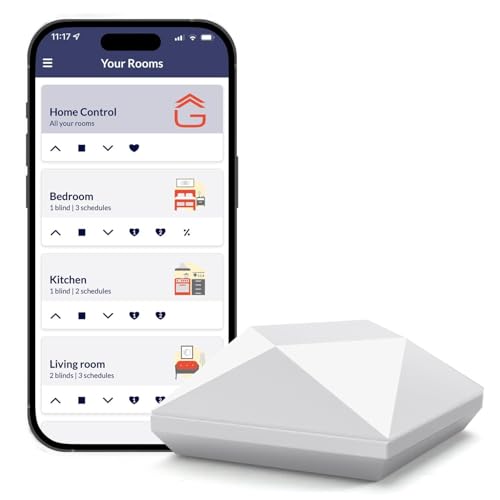
9. Go Smart Bridge — Motorized-Blind Integration Hub
The Go Smart Bridge is a specialist option for compatible motorized blinds and shades.
It brings supported window coverings into app and automation control and works with platforms including Alexa, Google Home, IFTTT, Control4, and Siri-based commands.
It is not intended to serve as the central hub for an entire mixed-device smart home.
Why consider it: It bridges compatible motorized shades into broader smart-home routines and voice control.
Pros
- Smart control for compatible blinds
- Schedule support
- Voice-control integration
- Works with multiple automation platforms
Cons
- Limited to compatible shade systems
- Not suitable as a general-purpose smart-home controller
Trade-offs / Who should skip: Choose a broader smart-home hub if blinds are only one small part of the system and do not require this specific bridge.
Quick Compare
- SONOFF Bridge Max — Matter bridge and Zigbee gateway with Ethernet and Wi-Fi
- Google Nest Wifi Pro — Wi-Fi 6E mesh system with Thread Border Router support
- Aqara G5 Pro — outdoor camera combined with Thread and Zigbee hub functions
- Philips Hue Bridge Pro — dedicated hub for large Hue lighting installations
- BroadLink RM4 Pro — IR and compatible RF control for traditional appliances
- SwitchBot Hub 3 — Matter bridge with screen, dial, Bluetooth, and infrared control
- YoLink Hub — long-range connectivity for compatible sensors and devices
- Flic Hub LR — hub for physical buttons and programmable routines
- Go Smart Bridge — specialist bridge for compatible motorized blinds
Final Verdict
These hubs serve different smart-home architectures.
SONOFF Bridge Max provides a conventional Zigbee gateway and Matter-bridge format, while Google Nest Wifi Pro combines Thread infrastructure with whole-home mesh Wi-Fi. Aqara’s G5 Pro combines security-camera functions with Thread and Zigbee connectivity, and Philips Hue Bridge Pro concentrates on larger smart-lighting installations.
BroadLink, SwitchBot, YoLink, Flic, and Go Smart Bridge address more specialized automation needs, including traditional remote-controlled appliances, physical controls, long-range sensors, button-driven routines, and motorized shades.
The most suitable hub depends on which protocols and device families are already in the home, so compatibility should take priority over simply choosing the hub with the longest feature list.
As an Amazon Associate, I earn from qualifying purchases.