
Best Printers for Stickers in 2026
As an Amazon Associate, I earn from qualifying purchases. Some links may earn us a commission at no extra cost to you.
Sticker printing can mean very different things depending on the project. Color inkjets are useful for artwork, planner stickers, and photo-heavy designs, while toner printers suit compatible business labels and thermal models offer a compact inkless option for smaller stickers. These six printers cover home crafting, higher-volume color printing, portable work, toner-based labels, and simple thermal stickers.
Top 6 Picks
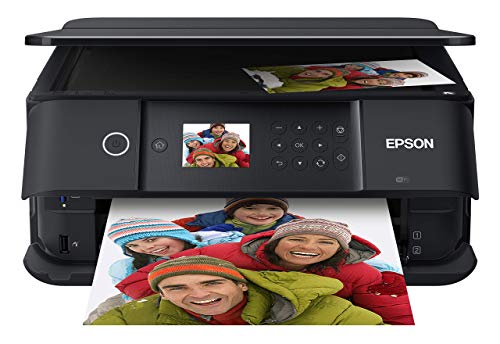
1. Epson Expression Premium XP-6100 — Five-Color Inkjet for Home Sticker Projects
The Epson Expression Premium XP-6100 is a wireless color all-in-one built around a five-color printing system. Its supplied listing includes printing, scanning, copying, borderless photo printing, USB connectivity, and memory-card support.
That combination makes it a practical fit for home users creating colorful sticker designs alongside photos and ordinary documents.
Why consider it: The five-color system and borderless photo capability give it a useful creative-project focus without moving into a large professional printer.
Pros
- Five-color printing system
- Borderless photo printing
- Print, scan, and copy functions
- USB and memory-card support
- Compact home-project role
Cons
- Cartridge-based printing can become costly with frequent full-color output
- Supplied listing does not specify sticker-media thickness limits
Trade-offs / Who should skip: High-volume sellers may prefer an ink-focused model designed around longer production runs.
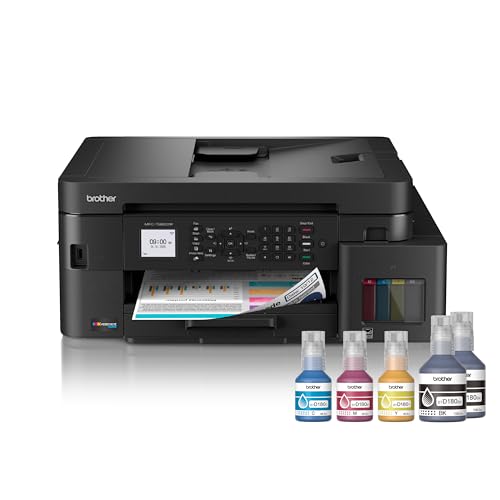
2. Brother INKvestment Tank 980 — Color Inkjet With Multipurpose Tray
The Brother INKvestment Tank 980 is a wireless and Ethernet color inkjet all-in-one with a multipurpose tray. That extra feed option can be useful when a project involves media that you would rather keep separate from ordinary office paper.
The supplied listing also states that the printer includes up to three years of ink in the box under the manufacturer’s stated usage conditions.
Why consider it: Its multipurpose tray and included-ink positioning make it a practical option for regular color printing and mixed home-office work.
Pros
- Color inkjet all-in-one
- Multipurpose tray
- Wireless connectivity
- Ethernet connectivity
- Supplied with a substantial amount of ink
Cons
- Larger investment than a basic home inkjet
- Supplied listing does not specify wide-format sticker printing
Trade-offs / Who should skip: Occasional crafters who print only a few sticker sheets may not need its larger ink-oriented setup.
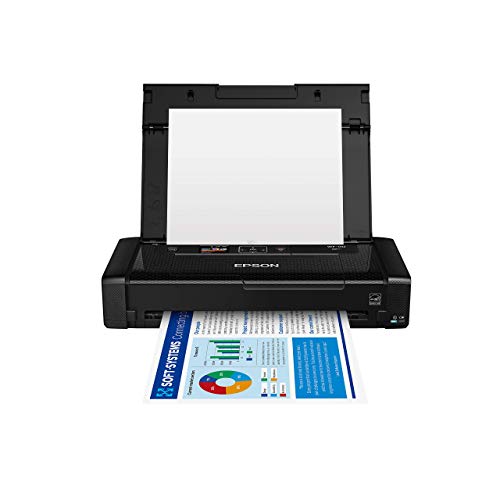
3. Epson WorkForce WF-110 — Portable Color Inkjet
The Epson WorkForce WF-110 takes a very different approach with a compact portable design and rechargeable battery. Its supplied listing specifies wireless color printing, USB connectivity, and speeds of up to 6.7 pages per minute.
It makes the most sense when portability matters more than maximum print speed or an extensive all-in-one feature set.
Why consider it: A rechargeable battery and compact wireless design let it handle color printing away from a permanent desk setup.
Pros
- Portable color inkjet design
- Rechargeable battery
- Wireless printing
- USB connectivity
- Compact for travel or mobile workspaces
Cons
- Slower than larger office-oriented printers
- Does not provide the scanning and copying functions of an all-in-one
Trade-offs / Who should skip: A stationary home or small-business setup will generally get more features and paper-handling flexibility from a full-size printer.
4. Brother HL-L3280CDW — Toner-Based Color Label Printing
The Brother HL-L3280CDW is a wireless color printer that uses toner rather than liquid ink. This gives it a different role from the inkjet models, particularly for compatible label media with text, logos, packaging information, and business graphics.
It also includes automatic duplex printing and wireless connectivity. Because toner media passes through a heated fusing system, only sticker or label sheets specifically rated for laser or LED printers should be used.
Why consider it: Toner output is useful for fast business-label workflows where sharp text and immediate handling matter more than photo-style sticker art.


Pros
- Color toner printing
- Wireless connectivity
- Automatic duplex printing
- Useful for batches of compatible labels
- Output does not rely on wet liquid ink
Cons
- Less suited to photo-style gradients than a photo-oriented inkjet
- Not intended for borderless sticker artwork
- Requires toner-compatible sticker media
Trade-offs / Who should skip: Artists producing glossy illustrations and photograph-heavy stickers will generally benefit more from an inkjet.
5. Canon PIXMA TR8620a — Five-Ink All-in-One With Rear Feed
The Canon PIXMA TR8620a combines a five-ink system with a rear paper feed, making it a versatile home all-in-one for ordinary documents and compatible creative media.
It also includes scanning, copying, an automatic document feeder, wireless connectivity, and automatic two-sided printing.
Why consider it: Its rear feed and five-ink configuration give occasional sticker makers a flexible printer that can also handle normal household and office tasks.

Pros
- Five-ink system
- Rear paper feed
- Wireless printing
- Scan and copy functions
- Automatic document feeder
Cons
- Ink costs can rise with frequent full-page color printing
- Limited to smaller media than wide-format creative printers
- Not aimed at heavy commercial production
Trade-offs / Who should skip: Frequent sellers producing large batches may prefer a printer with a more production-oriented ink system.
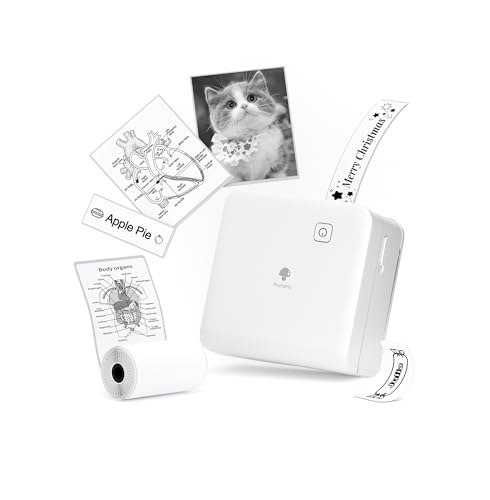
6. Phomemo M02Pro — Compact Inkless Sticker Printer
The Phomemo M02Pro is a dedicated mini thermal sticker printer rather than a conventional inkjet. Its supplied listing specifies 300-DPI printing and support for 15 mm, 25 mm, and 53 mm media sizes.
Its small format is aimed at notes, DIY projects, travel, and compact sticker-making rather than full-size color sticker sheets.
Why consider it: The inkless thermal design provides a simple dedicated option for small stickers without maintaining ink cartridges.
Pros
- 300-DPI thermal printing
- Inkless operation
- Supports three listed media widths
- Compact and portable
- Specifically marketed for sticker-making and DIY use
Cons
- Not a replacement for full-size color inkjet sticker printing
- Maximum media width is much smaller than standard printer sheets
Trade-offs / Who should skip: Choose a conventional color inkjet if your projects involve full-page sticker sheets, detailed color artwork, or large decals.
Quick Compare
- Five-color home projects: Epson Expression Premium XP-6100
- Regular color printing with multipurpose tray: Brother INKvestment Tank 980
- Portable color printing: Epson WorkForce WF-110
- Toner-compatible labels: Brother HL-L3280CDW
- Five-ink all-in-one with rear feed: Canon PIXMA TR8620a
- Compact inkless sticker printing: Phomemo M02Pro
Final Verdict
These six printers serve different sticker workflows rather than competing on one specification. The Epson XP-6100 emphasizes colorful home projects, while the Brother INKvestment Tank 980 provides a more substantial color-inkjet setup with a multipurpose tray.
The WF-110 is the portable option, while the retained Brother HL-L3280CDW covers toner-compatible labels. The Canon PIXMA TR8620a remains a flexible home all-in-one with rear feeding, and the Phomemo M02Pro offers a compact inkless alternative for smaller thermal stickers.
Before buying sticker stock, confirm that its size, thickness, coating, and printer technology match the selected printer. Inkjet, toner, and thermal sticker media are not interchangeable.
As an Amazon Associate, I earn from qualifying purchases.